Wherever you’re at with Ascora, we can help.
From setting it up right to retraining your crew or giving your system a full tune-up, we’ll make sure Ascora’s working hard behind the scenes so you can stay focused on the tools.
If you’re considering Ascora for your trade business, you’re in the right place. As independent Ascora certified expert, we’ll guide you on what’s best for your business, whether that means setting it up, optimising your current system, or finding a better fit.
Exploring job management software? Ascora brings quotes, scheduling, and invoicing together in one place. The secret is getting it set up to match your workflow.
The industries we find are best suited to ascora
Ascora is built for trade businesses that juggle multiple jobs, teams on the road, and a constant flow of quotes, invoices, and compliance paperwork.
We don’t believe in one-size-fits-all. See if Ascora is right for your business by completing our quick fit check.
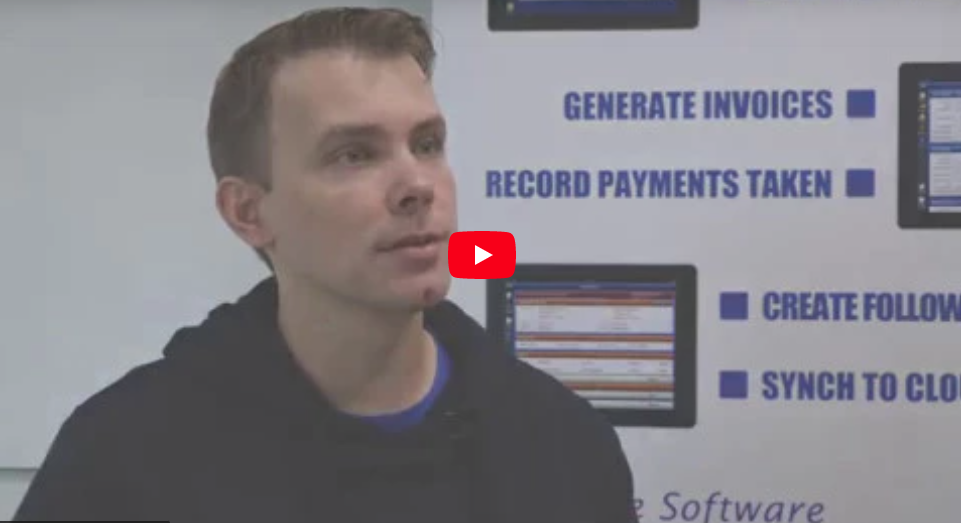
VIDEO OVERVIEW
What ascora does well (and the problem it solves)
Ascora is a powerful job management software to organise your trades business, manage your workforce, jobs and projects from quote through to invoice.
See the details and track all history with your customers and collect signatures onsite.
Easily see a full list of all jobs you’ve been scheduled against for today, tomorrow, this week or next.
See all job details entered by the office along with any associated documents and manuals.
Allocate parts from your current price list or create special write-ins as needed
Check in and out of jobs and Ascora will track the actual time used.
Track Equipment or Asset being serviced and see a full service history of every visit.
Create a follow-on quote from a job or a brand new quote quickly and easily.
With only one tap turn your job into an invoice while out in the field.
Allocate parts from your current price list or create special write-ins as needed.
Complete the job then get paid for it while on site.
With the use of detailed graphs we can easily view the type of jobs completed by each technician.
sort out the ascora frustrations before they start
The biggest problems with Ascora usually show up when it’s not tailored to how your business actually runs.
Getting your setup right is so important, but sometimes the temptation of getting it done fast is more appealing upfront.
When onboarding feels rushed or too generic, the system never quite fits how your team works. That’s when things start slipping through the cracks.
Want to make sure Ascora is set up the right way the first time?
Don’t waste time figuring it out the hard way. We’ll set Ascora up properly from day one, so it fits your workflow, your team, and the way you actually run jobs.
What starts as a few quirks can turn into wasted time, missing information, and frustration across the team.
It’s not that Ascora can’t handle your business, it just needs to be set up and used in a way that fits how your team works in the real world.
Not sure if your Ascora is setup properly?
We can review your setup and identify the best way to optimise your system for your business needs. Book a call to find out more.
Even with a solid setup and a well-trained team, there comes a point where your business needs more from Ascora than the default settings can offer.
This is the time to step back and reassess whether Ascora is still the right fit for your business, or if it simply needs to be taken to the next level.
With more advanced configuration and reporting that our expert team can offer, many tradies find they can unlock a lot more from the platform than they realised.
Sick of fighting with Ascora?
You shouldn’t have to wrestle your job management system every day. A quick tune-up can sort out the bugs, clean up your setup, and make it easy to use again.
how tradiepad can help
We often see the same few roadblocks that stop tradies from getting the most out of their software. The good news? They’re all easy to avoid with the right setup, workflow design, and training.
As an Ascora certified expert, we have helped hundreds of Tradies implement Ascora into their business.
We will assess your business needs and advise you on whether Ascora will suit your unique trade business.
We’ll review your setup, refine your workflows, and make sure Ascora’s configured to save you time and boost productivity.
Tailored training for you and your team so you can use Ascora confidently and get the most out of every feature.
Navigating the change to Ascora is easy with ongoing TradiePad support available for your team.
DIY vs Standard vs TradiePad
|
DIY Setup
|
Ascora Standard Setup
|
TradiePad Setup
|
|
Setup Time |
Slow and confusing | Quick but generic | Tailored, efficient, and focused on what you need |
Templates |
Hard to configure and unbranded | Preloaded but not customised | Fully branded and data-mapped for your business |
Workflows |
Often incomplete or misaligned | Basic defaults only | Designed around your real job process |
Training |
Self-taught or YouTube tutorials | Short, one-size-fits-all session | Personalised and paced for your team |
Integrations |
Missed or incorrectly linked | Partial setup only | Correctly connected to all your systems |
Support |
None once setup is done | Limited troubleshooting | Ongoing support and training as your business grows |
Outcome |
Frustrating and time-consuming once setup is done | Functional but underused | Streamlined, efficient, and built for success |
Ascora client review
From setting it up right to retraining your crew or giving your system a full tune-up, we’ll make sure Ascora’s working hard behind the scenes so you can stay focused on the tools.
book a call
To avoid playing phone tag book a date and time that suits you to have a quick chat about how we can help your business.
The first step is a no obligation 15-minute intro call to see how we can help.
If you’re ready to move forward we’ll then conduct a 1-on-1 “Scoping Session” to determine the right solutions for you.
Once we’ve determined your specific needs we will send you a TradiePad proposal or recommendation tailored to your business.
answering your common ascora questions
Most setups fail because they’re too generic. If your workflows and templates don’t match how your team actually works, problems will show up fast. A tailored setup ensures Ascora fits your business, not the other way around.
You’ll know your setup is right when jobs flow smoothly from quote to invoice, and your team stops working around the system. If you’re still chasing missing info or fixing errors, it’s time for a quick system check.
Yes. Customer lists, job histories, and price lists can all be transferred safely, as long as the data is cleaned and structured before import.
This usually happens when imports aren’t mapped correctly. Once field links and IDs are set up properly, jobs stay accurate and organised.
Yes. You can adjust workflows, templates, and permissions so the system mirrors your real-world processes.
Ascora’s standard setup gets you started. A full implementation maps your processes, configures integrations, builds branded templates, and trains your team to use the system efficiently.
Yes. You can refresh your setup while keeping all your important data. Many tradies do this once they realise the original configuration isn’t supporting them properly.
Most training sessions are a feature tour, not a tailored guide. Personalised training focuses on what your business actually uses, making it easier to learn and retain.
Start with an audit to find out what’s confusing staff. Then retrain with examples from your real jobs so the lessons stick.
Yes. Interactive sessions using your own data are more effective than watching generic tutorials.
Most tradie teams learn the basics in a few short sessions once the setup is correct. The key is pacing training properly, not rushing.
If the setup doesn’t make sense, your team will avoid it. Fixing the workflows and showing how Ascora makes their job easier helps drive adoption.
Yes. Ongoing training keeps your team consistent and confident with the system, especially as your business grows.
Field codes might be missing or mapped incorrectly. Once fixed, your templates will pull the correct data automatically.
You can edit them manually, but it’s easy to miss something. Having templates rebuilt ensures accuracy and consistent branding.
Yes. Ascora supports fully branded documents for quotes, invoices, and reports.
That happens when fields aren’t linked properly. A quick template rebuild ensures every detail appears where it should.
Yes. TradiePad can rebuild templates for quotes, invoices, job sheets, and compliance forms so they look professional and work correctly.
API connections can break when credentials or versions change. Reconnecting and reauthorising your accounts usually fixes the issue.
These integrations need setup from both sides. If you’re seeing errors, it’s usually a small configuration issue that can be corrected quickly.
Supplier files may not be linked correctly or could be out of date. Once fixed, prices will update automatically.
If data isn’t syncing or duplicates are appearing, it’s time for an integration health check to make sure all systems are communicating properly.
Yes. Ascora integrates with a growing list of apps. A quick review can help you decide which are worth connecting.
Reports are only accurate if the setup and data entry are consistent. A quick audit can uncover where numbers are being skewed.
Make sure labour, materials, and overheads are entered the same way each time. Setting up job cost tracking gives you real-time profit visibility.
Yes. Ascora supports live tracking, but it needs to be switched on and configured for your users.
You can filter and create dashboards for key metrics like team, location, or job type. Custom reports make it easier to spot performance issues early.
This usually happens when tax or decimal settings aren’t consistent across templates. Aligning these fixes rounding issues instantly.
Old app versions or poor connectivity are common causes. Updating and syncing devices usually fixes it.
Keep the system simple and relevant. When staff see how it saves them time, adoption improves quickly.
That’s typically a permissions or sync issue. Once corrected, updates appear in real time.
Using job notes, photos, and live updates keeps everyone aligned. Training both sides on this process ensures smoother communication.
Yes. Customising job sheets, templates, and checklists helps field staff complete tasks faster and reduces admin back in the office.
Too much stored data or outdated devices can slow it down. Cleaning up your database and updating hardware makes a big difference.
That’s a sign something isn’t working in your setup or training. Reviewing your system can identify what’s holding them back. Book a call with TradiePad and we can sort it out.
If you’re constantly frustrated or working around the system, it’s worth reviewing your setup and comparing other options.
Yes. Data can be migrated safely. With the right process, you can transition without downtime.
Book a quick call with TradiePad. We’ll review your setup, find what’s slowing you down, and show you how to get your system running properly.
This is your chance to get honest about what’s slowing you down. Find out what needs attention so you can roll into 2026 organised and in control.